
A desk’s cables do not tangle themselves. They tangle because they were never given a system: nobody counted them, they draw power from wherever each one landed, and each was routed by the shortest path on the day its device arrived. Cable management that lasts is a design, not a tidy-up. Count the cables and sort them by how permanently they live at the desk. Give them one power hub in one chosen place. Route every cable from that hub to its device on a planned path, with deliberate slack where things move. Then contain the runs so the desk reads clean, and run a simple protocol when devices change, because change is where every tidy-up dies. The desk this wiring serves still needs its surface system, and a corner setup still decides its power geometry by its outlet wall; this page owns everything from the outlet to the last device.
What Cables Does a Home Office Desk Actually Have?
Fewer than the tangle suggests, and the first step is to count them honestly. Pull every cable out, lay the whole inventory where you can see it, and sort it into three groups. Permanent cables belong to devices that live at the desk: the screen’s power and display cables, the computer’s power cable, the desk lamp, the hub’s own feed to the wall. Visiting cables arrive and leave with their devices: the laptop charger if the laptop travels, the phone charger, the cable for the tablet or the camera. Dead cables belong to devices the desk no longer has: the old monitor’s lead, the charger for a phone two models back, the mystery cable nobody can identify. Dead cables are in almost every tangle, and they leave today, back to the household tech storage or out of the home entirely.
The count usually lands somewhere between six and a dozen live cables for a full desk, and writing the inventory down, even on paper, changes the job: instead of “hide this mess,” the task becomes “route these nine cables,” which is finite and plannable. Keep the list. It is the system’s map, and the maintenance section at the end of this page runs on it.
Where Should the Power Hub Live?
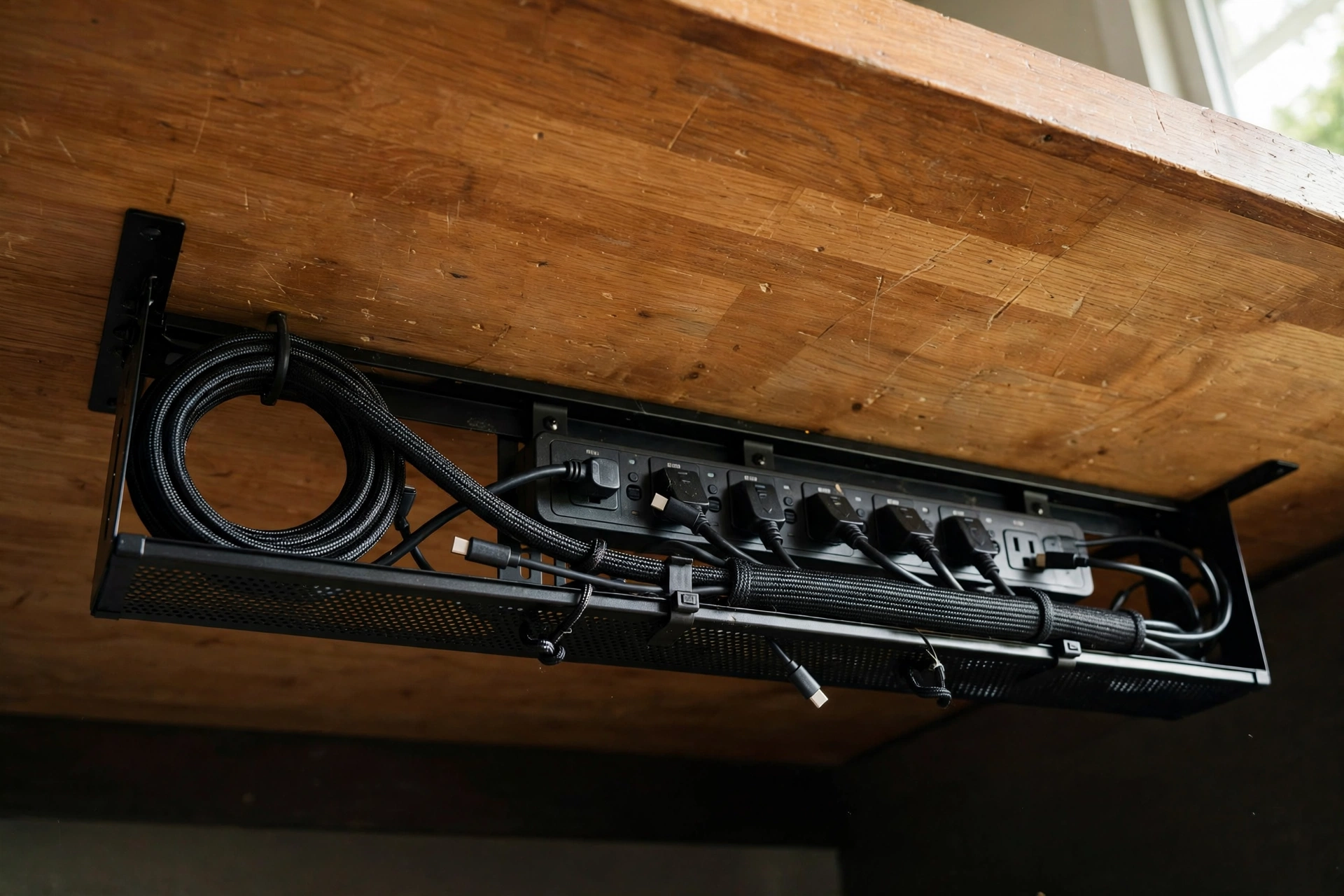
In exactly one place, chosen on purpose: a single power strip or hub that every desk device draws from, so the whole setup has one feed to the wall and one switch’s worth of control. The candidates are three. On the desk’s back line, against the wall or behind the screen, suits desks whose surface has depth to spare and puts switches within reach; it costs surface and stays faintly visible. In an under-desk tray is the default for most desks: invisible from above and from the room, off the floor, with the cables dropping a few centimeters from the devices into it. In a cable box on the floor suits desks with no underside to mount to and floors that are out of the sightline, at the cost of becoming a dust address and a thing the vacuum argues with.
Choose by the desk and the outlet, not by the product photos. The hub goes as close to the wall outlet as the setup allows, on the same side as the devices it feeds most, so its own feed is short and the long runs belong to individual device cables that can be routed and bundled. In a corner setup, the geometry starts from the outlet wall, and the hub sits inside that corner’s footprint. Two safety rules of general practice govern every placement: strips are never daisy-chained into each other, and a strip lives where air reaches it, not buried under papers or inside a sealed box with its adapters cooking. Everything else about placement is the desk’s convenience.
How Do You Route Cables From the Hub to Each Device?
On three planned runs, each with its own path. The feed run is the hub’s own cable to the wall outlet: one cable, kept short, dropping behind the desk rather than crossing any floor anyone walks. The device runs connect the hub to the screen, the computer, and the lamp: each rises from the hub to its device by the most hidden path available, which on most desks means up behind the desk’s back edge or through the gap between desk and wall, then along the underside or the back line to the device, so from any normal viewing angle the surface shows devices, not their wiring. The drop run handles anything that must reach the floor: a tower computer under the desk, a floor-standing accessory. It travels down one chosen leg or corner post of the desk, clipped or tied to it, never down the middle of the kneehole where feet and chair casters live.
Runs that travel together are bundled together. The screen’s two cables and the lamp’s cable, if they share a path for most of their length, go into one sleeve or one set of ties as a single visible line instead of three parallel strands, because the eye reads one line as order and three as spaghetti even when all three are tidy. Route the permanent cables first, with the desk in its final position, and only then plug in the visitors. A route planned around a desk that later moves ten centimeters is a route replanned, so the desk lands first and the wiring follows.
How Do You Hide Cables Without Hiding Access?
By matching the containment to the run, and by remembering that every hidden cable still has to be reachable the day its device is replaced. The under-desk tray or raceway is the system’s workhorse: it carries the hub and the horizontal runs under the surface, invisible from standing height, and on a renter’s desk it mounts by clamping to the desk’s edge or back rail rather than by screws wherever the lease is strict, with adhesive-backed raceways as the no-holes option for single runs along a wall or a leg. The cable box swallows the floor hub and its adapters, and earns its place only where the floor is genuinely out of sight. Split sleeves and spiral wrap turn a bundle of parallel cables into one clean line for the runs that must be visible, the drop down a leg, the rise to a wall-mounted screen. Clips and hook-and-loop ties are the small change of the system: a clip where a cable turns a corner, a tie where a bundle needs holding, placed at intervals rather than everywhere.
The access rule disciplines all of it: containment you cannot open with one hand and no tools will be cut open, abandoned, or routed around within a year. Trays with drop-down or open designs, sleeves that split along their length, and ties that release are the ones still in use in year three. If a run needs a screwdriver to service, it is not managed, it is entombed, and the next device will arrive with its cable draped over the top of the whole arrangement, which is how the second tangle begins.
How Much Slack Should Each Cable Have?
Exactly as much as its device’s movement demands, stored in one deliberate place: the service loop, a neat coil or fold of spare cable kept at the hub end or in the tray, so slack is a feature of the system rather than drooping excess along every run. A fixed device, the screen that never moves, the lamp, gets almost none: cable cut by routing to a near-exact fit, with a hand’s width of grace for the day it shifts. A device on a moving arm, or a laptop that docks and leaves daily, gets its slack measured by its travel: the arm’s full swing, the laptop’s lift-off path, and the loop lives where that movement pulls from, so the cable feeds out and settles back instead of dragging across the desk.
The classic slack failure is the sit-stand desk, and it deserves naming because it defeats more setups than any other. Every cable that crosses between the floor or wall and the moving desktop, the hub feed above all, must carry enough length for the desk at its highest position, gathered in one managed loop that rises and falls with the desk, usually in a flexible spine or a tray mounted to the desktop itself with the loop hanging in a controlled curve below. A cable that is tidy at sitting height and taut at standing height is not managed; it is a countdown to a pulled plug or a toppled screen. If the desk moves, plan the wiring at full height and let the loop absorb the difference.
How Do You Stop Chargers and Small Cables Taking Over?
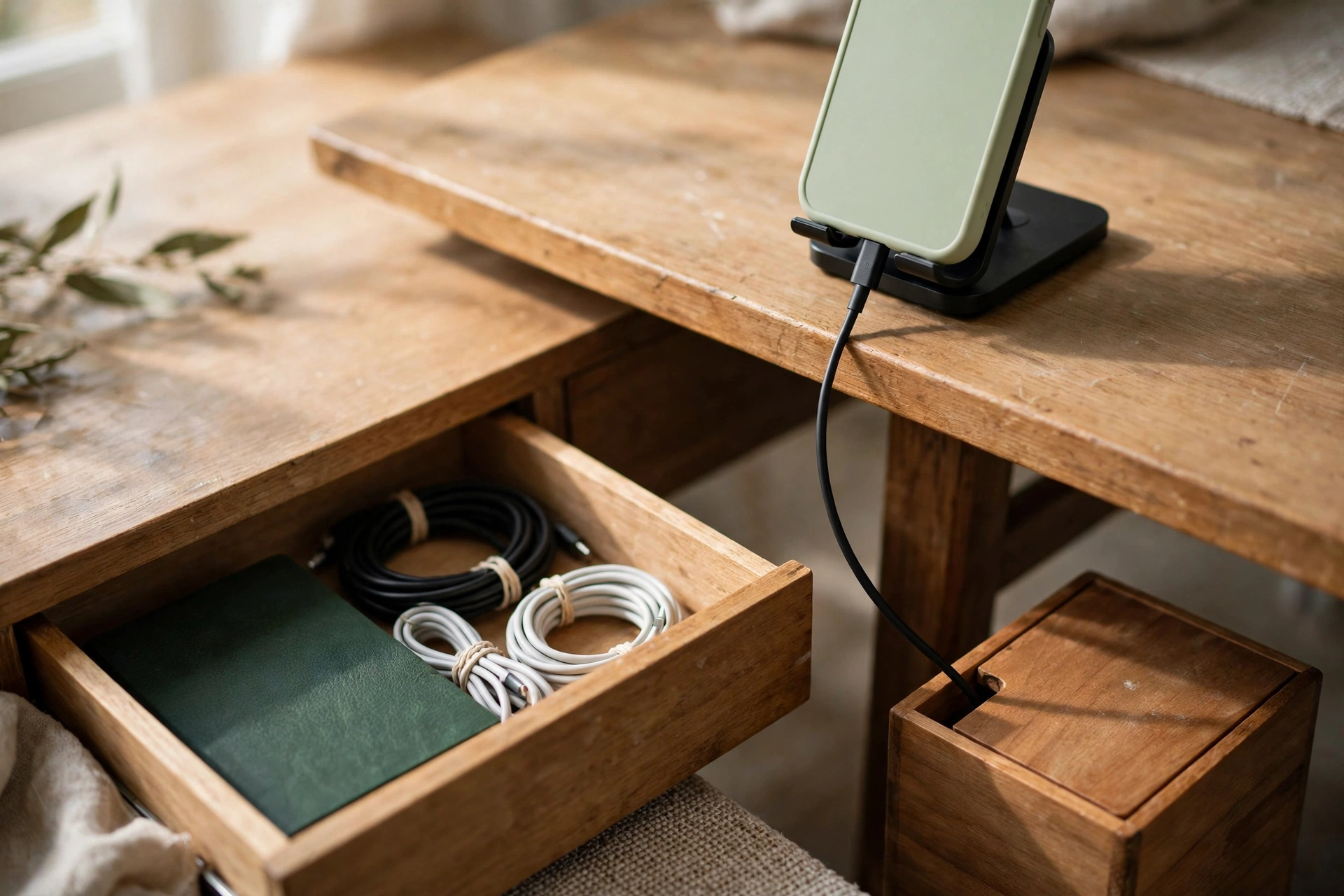
By giving them one address and a size limit. The address is the charging spot the desk system already keeps for devices: one place, at the reach ring’s edge or in the hub’s tray, where the phone charger and the visiting cables live when they are plugged in, and where they return to when they are not. A charger without an address migrates across the whole surface in a week, and its cable crosses everything. The size limit is about length: desk-bound chargers and connector cables should be as short as their job allows, because a two-meter cable for a thirty-centimeter job stores its extra meter and a half on your desk, in loops, forever. Short cables for the desk, long cables in the drawer for travel and guests.
The small cables that are not charging anything, the spare connector, the earbuds lead, the adapter for the older device, live corralled in one compartment of the desk’s drawer system or one small box in the tray, coiled once and tied, each identifiable at a glance. Labeling is what makes this survivable: a small tag or a wrap of tape at both ends of every permanent cable, naming its device, turns the hub from a row of identical black plugs into a serviceable panel. The day a screen is replaced, the label is the difference between unplugging two cables in a minute and unplugging six things one at a time to see what goes dark.
How Do You Keep Cables Managed When Devices Change?
With a protocol, because the system does not fail gradually; it fails on the specific afternoon a new device arrives and its cable takes the shortest path “for now.” The protocol has three rules. A new device is routed on the existing paths or not at all: its cable joins the bundle, the tray, and the loop system the day it arrives, and “temporary” draping is treated as what it is, the first strand of the next tangle. A removed device takes its cables with it the same day: the dead-cable sweep that started this system repeats at every departure, and the inventory list is updated, one line crossed out, one line added. The whole system gets one short reset a season: ten minutes to open the tray, evict the dust and the one cable that crept in wrong, check every cable for damage and every adapter for heat damage, and confirm the strip is neither overloaded nor buried.
That maintenance is what separates a managed desk from a photographed one. The setups in the product pictures were wired once, for the picture. A real desk adds a lamp in November, swaps a screen in March, and hosts a borrowed device in between, and the only systems still tidy after all three events are the ones whose owner had somewhere planned for each cable to go. Yours now does: an inventory, one hub, three runs, loops where things move, and a drawer for the small stuff. The wider office this desk belongs to, the one that opens in the morning and shuts down at night, runs the same design instinct at room scale in the small home office system for renters, and the desk’s own surface, the part the cables were hiding under, is organized by the desk system this wiring was built to serve.

Mike Maan writes practical home organization and small-space living guides for CozySorted. His work focuses on apartment-friendly storage, clutter-free routines, bedroom organization, and simple systems that help renters, apartment dwellers, and small-space homeowners create calmer, easier-to-maintain homes.