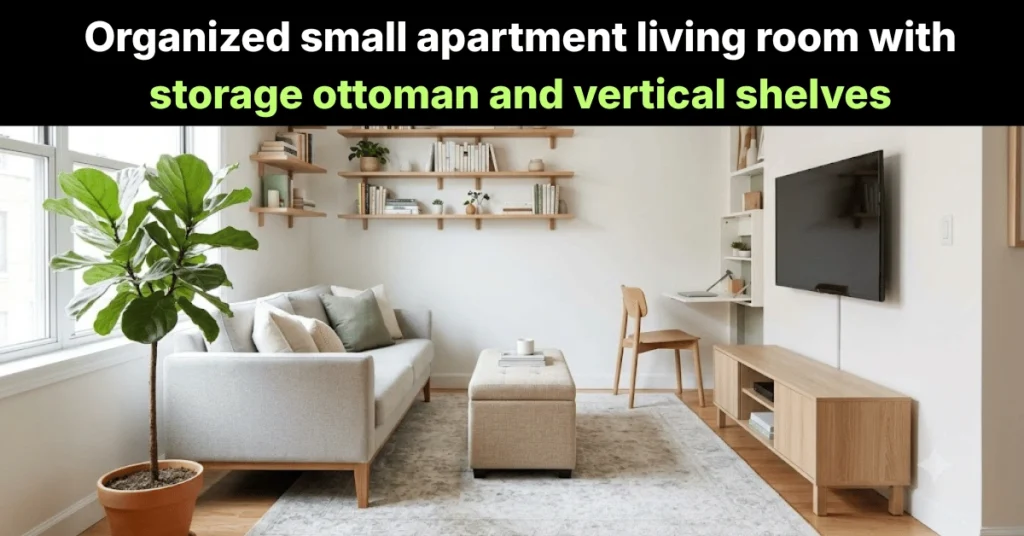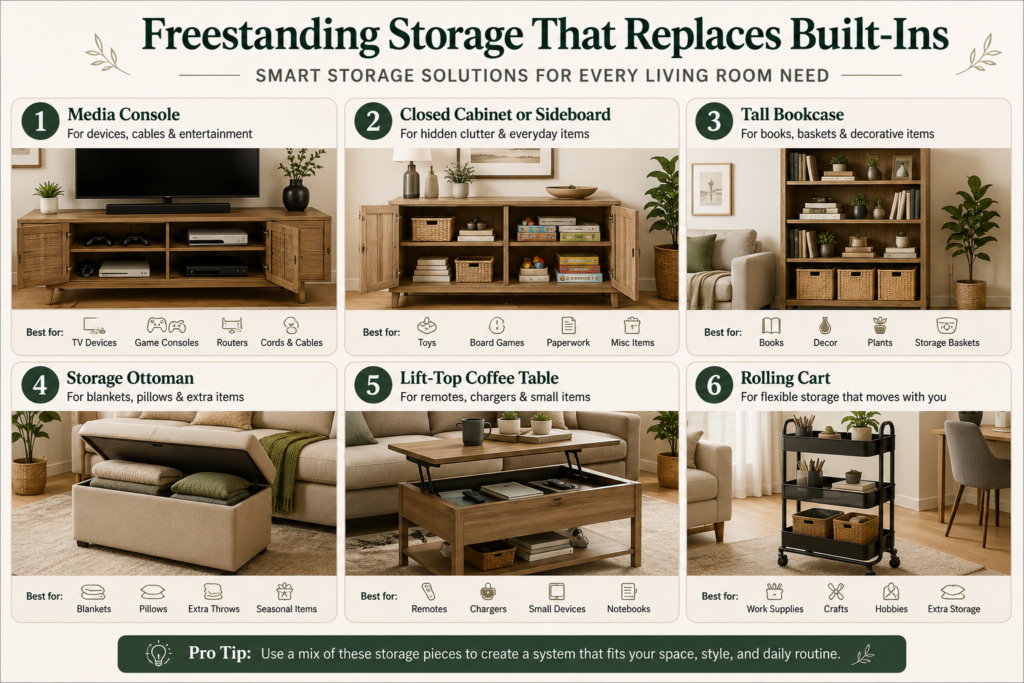
Remote control and cable organization works best when the living room has one clear control zone. That zone should hold the items people use every day, hide active cords safely, and move backup cables into labeled storage.
The goal is not to hide everything. The goal is to make daily controls easy to use and easy to reset. In a small living room, remotes, game controllers, headphones, chargers, HDMI cables, batteries, and adapters can spread fast because they are small and used often. A simple system stops them from taking over the coffee table, sofa, TV stand, and floor.
Start with the same clear-surface rule from coffee table organization ideas: only daily-use items should stay visible. Then connect the cable plan to your TV stand organization so devices, cords, and controls all support the same media zone.
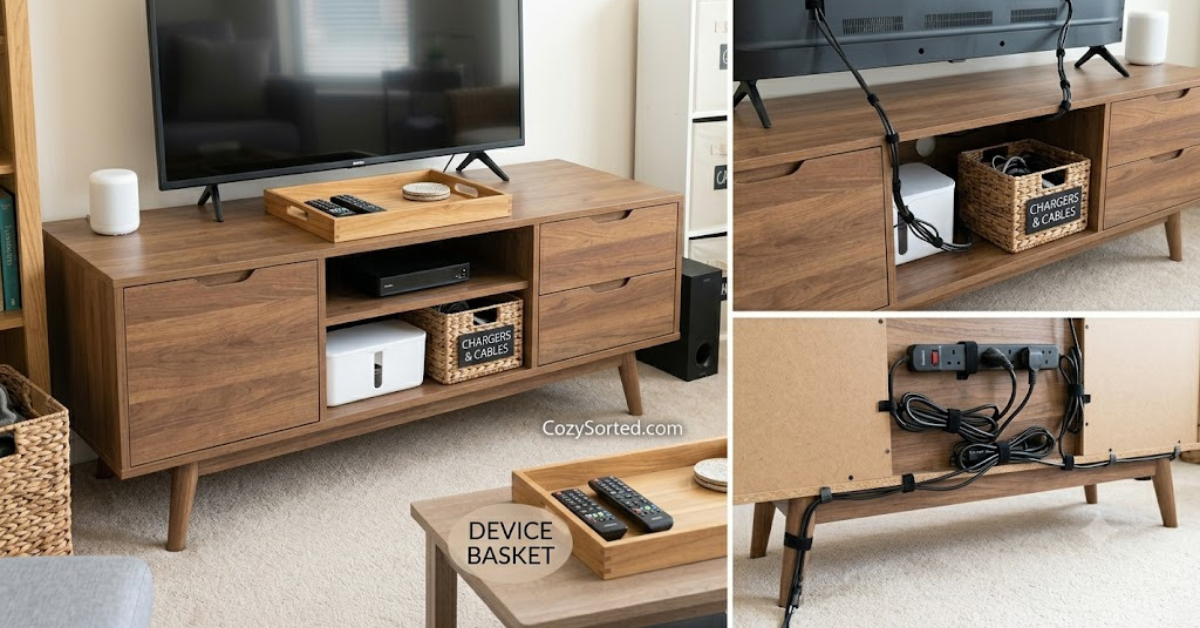
Start With the Control Zone
The control zone is the small area where remotes, controllers, chargers, and active media accessories live. It can be a tray on the coffee table, a drawer in the TV stand, a side-table basket, a sofa-arm organizer, or one shelf near the screen.
Choose the control zone before you sort anything. This gives every decision a clear test: does this item belong in the daily control zone, the connected device zone, backup storage, or removal pile?
If your living room is also used for work, reading, dining, or entry overflow, plan the full room first with small apartment living room organization. Otherwise, media clutter will move from the TV stand to the sofa, then from the sofa to the coffee table, then back again.
Sort Remotes and Cables by Use
Sort everything before buying cord boxes, drawer dividers, trays, or clips. Many living rooms already have enough storage. The real problem is that daily controls, backup cables, old accessories, and mystery cords are mixed together.
Use four groups:
- Daily controls: TV remote, streaming remote, soundbar remote, game controller, headphones, smart-light remote, or fan remote.
- Connected cables: cords currently attached to the TV, console, router, speaker, lamp, or charger.
- Backup items: extra HDMI cables, charging cords, adapters, batteries, and small media accessories.
- Remove: broken remotes, dead batteries, duplicate cables, unknown cords, old manuals, and accessories for devices you no longer own.
Keep only the first group in the active control zone. Connected cables should stay near the device they power. Backup items should move into labeled storage. Remove the last group from the living room completely.
Use This 10-Minute Setup Plan
This plan builds a working system without waiting for a full weekend declutter.
- Minute 1: collect every remote, charger, cable, adapter, controller, battery, and small media item from the sofa, coffee table, TV stand, drawers, baskets, and floor.
- Minutes 2 to 3: match each cable to a device. Put unknown cords in one temporary bag.
- Minutes 4 to 5: choose the controls used every day. These are the only items allowed in the daily control zone.
- Minute 6: choose one remote home near the main seat.
- Minute 7: move backup cables into one labeled box, pouch, or drawer.
- Minute 8: remove dead batteries, broken accessories, and cables for devices you no longer own.
- Minute 9: route visible cords behind the TV stand or along the back leg of furniture.
- Minute 10: sit where you normally watch TV and test whether the main remote, charger, and controller are easy to reach.
This final test matters. A system that looks clean from the doorway can still fail from the sofa. If the main remote is too far away, it will return to the cushions. If the charger is too hidden, it will return to the coffee table.
Where Each Item Should Live
Use this table when you are not sure what belongs on the coffee table, inside the TV stand, or in backup storage.
| Item | Best home | Visible? | Reset rule |
|---|---|---|---|
| Main TV remote | Remote tray, side-table drawer, or sofa caddy | Yes | Return after every use |
| Streaming remote | Same place as the TV remote | Yes, if used daily | Keep with daily controls |
| Soundbar remote | Remote tray or backup remote box | Only if used daily | Do not leave loose on the TV stand |
| Game controllers | Open basket, drawer, or charging dock | No, unless used daily | Charge after play |
| Active HDMI cable | Behind the TV stand | No | Label both ends |
| Backup HDMI cable | Labeled pouch or small box | No | Store by type |
| Phone charger | One charging zone near an outlet | Only at the charging zone | Do not leave loose on the sofa |
| Batteries | Battery case or small labeled box | No | Separate new and dead batteries |
| Mystery cords | Temporary review bag | No | Identify within one week or remove |
Hide Active Cords Safely
Cords look messy when they cross each other, hang in different directions, or sit in a pile behind the stand. The fix is to identify each cord, shorten excess length, and route cords together behind furniture.
Follow this sequence:
- Turn off devices before handling power cords.
- Label each cable by device before unplugging anything.
- Remove cords that no longer connect to an active device.
- Bundle extra length with soft hook-and-loop ties.
- Route cords down the back of the TV stand or along a back furniture leg.
- Keep power strips away from walking paths, fabric piles, and closed bins with no airflow.
Use removable adhesive clips for light cable routing. Use a cable sleeve when several cords run in the same direction. Use a cable box when the power strip is visible near the floor. For rental spaces, avoid permanent wall channels unless your lease allows them.
If your living room has no cabinets or built-ins, pair this with no-storage living room ideas so the cables are not fighting every other living room item for the same shelf.
Choose the Right Remote Station
Daily remotes need one home near the seating area. The home should be easy enough that everyone uses it without thinking.
| Remote station | Best for | Watch out for |
|---|---|---|
| Coffee table tray | Simple living rooms where remotes are used daily | Can collect snacks, mail, and other clutter |
| Side-table drawer | Cleaner surfaces and minimal rooms | Needs to be close to the main seat |
| Sofa-arm organizer | Small apartments with no side table | Can look messy if overfilled |
| Lidded box | Extra remotes and backup controls | Too slow for daily remotes |
| Open basket | Game controllers and shared rooms | Needs a weekly cleanout |
The best choice is the one people will actually use. A hidden drawer across the room is not better than a visible tray that gets reset every night.
Store Backup Cables by Type
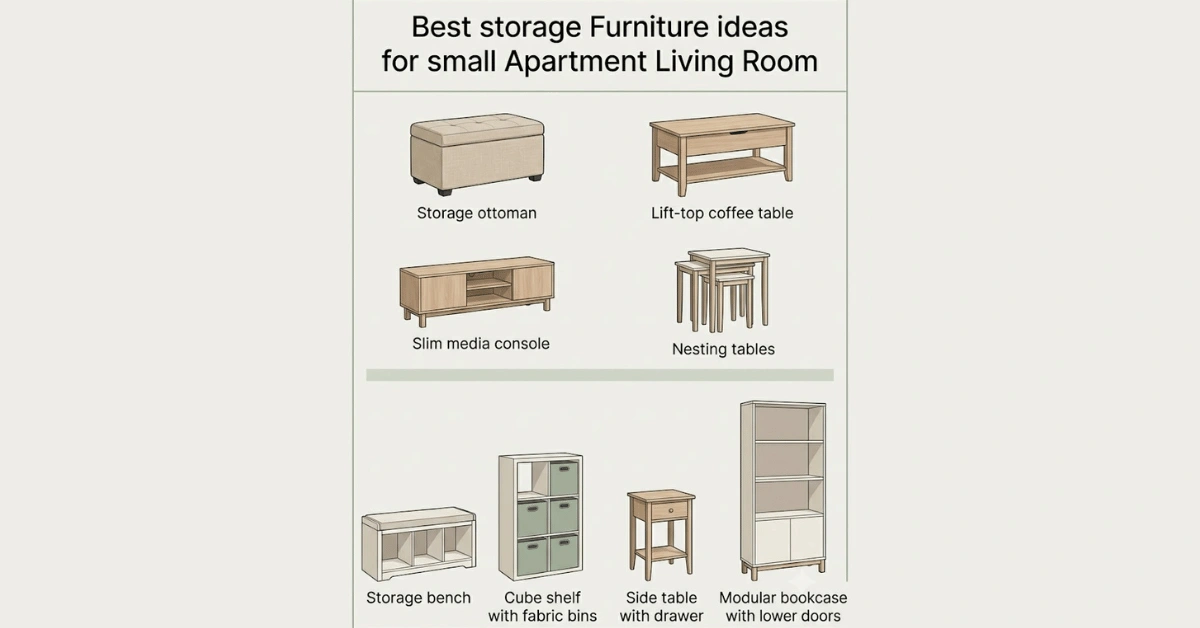
Backup cables should not live loose in the same drawer as remotes. They need categories because most cables look similar when tangled.
- HDMI cables: roll each one loosely and store in a labeled pouch or box.
- Charging cords: sort by USB-C, Lightning, micro-USB, controller charger, or headphone charger.
- Adapters: keep small adapters in a clear pouch so they do not disappear.
- Batteries: keep new batteries in one case and dead batteries in a separate recycle bag.
- Manuals: keep only useful manuals in one folder or take a photo and recycle the paper copy.
Keep backup cables near the media area only if you use them often. If they are rarely used, move them to a closet, home office, or labeled storage bin. Small rooms feel calmer when low-use items move away from the main living zone.
Create One Charging Zone
A charging zone stops phones, headphones, game controllers, tablets, and portable speakers from spreading across every outlet.
Good charging-zone locations include:
- a side table near the sofa
- a TV stand drawer with a cable opening
- a low shelf near an outlet
- a basket beside a chair
- a small cart that also holds headphones or controllers
Avoid placing the charging zone in the middle of the coffee table. That turns the table into a device drop zone. If books, devices, and chargers share one shelf, use the edited-display rule from book organization: visible items should be useful, loved, or intentionally displayed.
Match the Setup to Your Room
The system should match how the room is used. Do not copy a hidden-storage setup if your household needs fast access every day.
| Room type | Main problem | Best setup |
|---|---|---|
| Small apartment | Controls spread across sofa, table, and TV stand | One tray, one cable pouch, one charging spot |
| Family living room | Controllers, batteries, and headphones move around | Open controller basket, labeled battery case, shared remote tray |
| Rental living room | Cords are visible but drilling is not allowed | Removable clips, cord sleeves, cable ties, furniture-backed routing |
| Minimal living room | Small items break the clean look | Closed backup box and one simple visible tray |
| No-storage living room | No drawer or cabinet for small electronics | Lidded basket, storage ottoman, or slim side-table organizer |
Shared Room Rules
Shared living rooms need a system that is obvious without explanation. Hidden systems often fail because only one person knows where everything goes.
Use three simple rules:
- Daily controls return to the tray. No remotes stay on the sofa overnight.
- Controllers return to the basket or charger. No controller stays on the floor.
- Unknown cables go in the review bag. No mystery cord goes back into the active drawer.
For kids, use open bins instead of hidden boxes. For guests, keep the main TV remote visible and move extra remotes into backup storage. For roommates, use one shared charging station and one labeled cable box.
Label the Items That Cause Confusion
Labels make the system easier for guests, kids, roommates, and future you. You do not need a label maker. Masking tape, paper tags, or simple drawer labels are enough.
- Main remote: TV, streaming, soundbar, fan, or lights
- Charging cables: USB-C, Lightning, micro-USB, controller charger, headphone charger
- Media cables: HDMI, audio, ethernet, power cable
- Batteries: new batteries, used batteries, rechargeable batteries
- Adapters: TV adapters, laptop adapters, travel adapters, speaker adapters
- Temporary review bag: unknown cords to identify this week
A good cable label answers one question: what does this belong to? It does not need to look perfect. It needs to stop the same cable from becoming mystery clutter again.
Weekly Reset Checklist
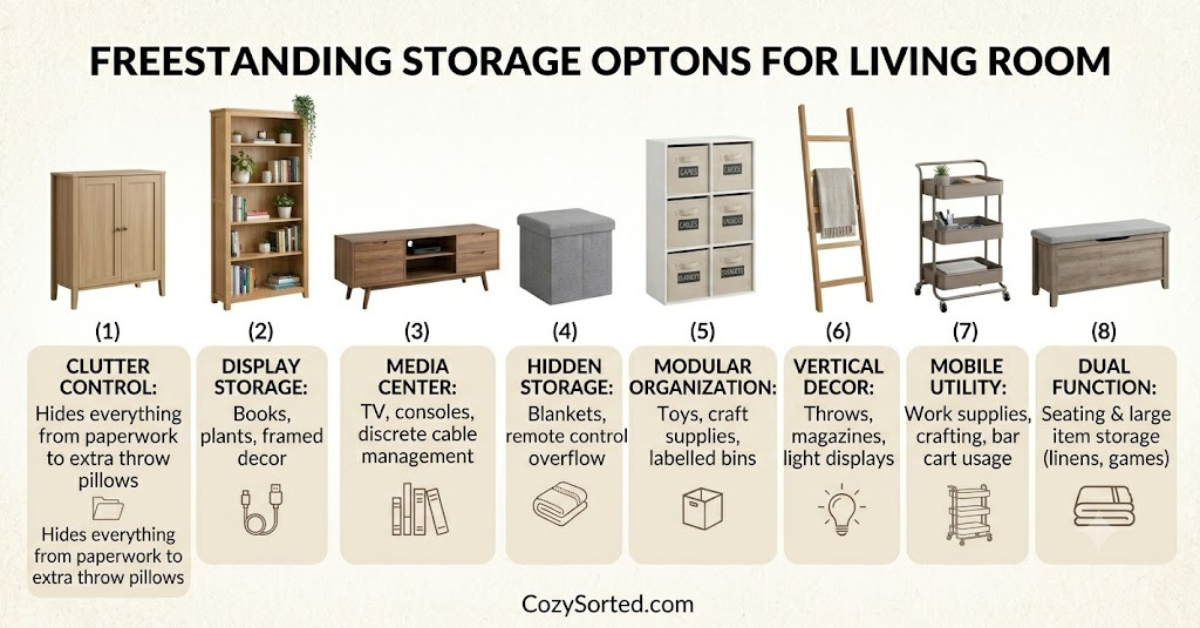
The weekly reset should take less than ten minutes. It is not a full declutter. It is a simple check that returns small items to their homes.
- Put daily remotes back in the tray, drawer, basket, or sofa caddy.
- Return controllers and headphones to their bin or charging spot.
- Remove cups, snacks, mail, books, toys, and papers from the TV area.
- Check that visible cords are still routed behind furniture.
- Move spare chargers and loose cables back to the backup cable box.
- Throw away dead batteries and broken accessories.
- Review the mystery cord bag. Identify what you can and remove what you cannot match.
- Clear the coffee table before the next day starts.
This reset connects naturally with your wider home organization system. Small items stay under control when they have a home and a reset rhythm.
Common Mistakes to Avoid
- Hiding daily remotes too far away: they will return to the sofa or coffee table.
- Keeping mystery cables forever: set a one-week review limit.
- Overfilling one drawer: use dividers, pouches, or labels.
- Using permanent cable channels in a rental: choose removable options first.
- Ignoring the coffee table: controls migrate there unless it has a clear rule.
- Keeping every accessory near the TV: backup items can live outside the living room.
- Buying organizers before sorting: this usually stores clutter instead of solving it.
If small electronics also collect near the door, your media clutter may be part of a bigger drop-zone problem. Use tiny apartment entryway ideas to keep bags, mail, keys, books, and chargers from landing in one pile.
FAQ
What is the easiest way to organize remotes?
The easiest way is to keep daily remotes in one tray, basket, drawer, or sofa caddy near the main seat. Do not split remotes across the coffee table, sofa, and TV stand.
How do you hide cables in a rental?
Use removable adhesive clips, soft cable ties, cable sleeves, and furniture placement. Avoid drilling or permanent wall channels unless your lease allows them.
Where should extra cables go?
Extra cables should go in a labeled pouch, box, or drawer outside the daily-use area. Keep only active and weekly-use cables near the TV stand.
How many remotes should stay visible?
Only remotes used every day should stay visible. Extra remotes, old controls, and backup accessories should move to labeled storage.
Should cords be hidden inside a closed box?
Only hide cords inside a box when the box is designed for cable management and has enough airflow. Do not stuff warm devices, overloaded power strips, or tangled cords into a closed container.
What Should You Do Today?
Start with the smallest version of the system.
- Put one tray, basket, or shallow box beside the main seat.
- Place only the daily TV, streaming, and soundbar remotes inside it.
- Collect every loose cable from the sofa, table, floor, drawers, and TV stand.
- Keep one working cable for each active device.
- Put backup cables into one labeled box or pouch.
- Move mystery cords into a temporary bag with today’s date.
- Route visible TV cords behind the stand with soft ties or removable clips.
- Choose one charging spot and remove chargers from every other surface.
- Throw away dead batteries and broken accessories.
- Repeat the reset weekly until the system becomes automatic.
Best Remote and Cable Organization Setup
The best setup is simple: sort controls first, hide active cords safely, store backup cables by type, create one charging zone, and reset the area each week.
For most small living rooms, this setup is enough:
- one tray for daily remotes
- one basket or drawer for controllers
- one labeled box for extra cables and adapters
- one charging zone near an outlet
- one cord route behind the TV stand
- one weekly reset checklist
Remote control and cable organization works when the system is easy to use, not when everything is hidden. Keep daily controls close, keep visible cords quiet, and move backup items out of the way before they become living room clutter.

Mike Mann writes practical home organization and small-space living guides for CozySorted. His work focuses on apartment-friendly storage, clutter-free routines, bedroom organization, and simple systems that help renters, apartment dwellers, and small-space homeowners create calmer, easier-to-maintain homes.