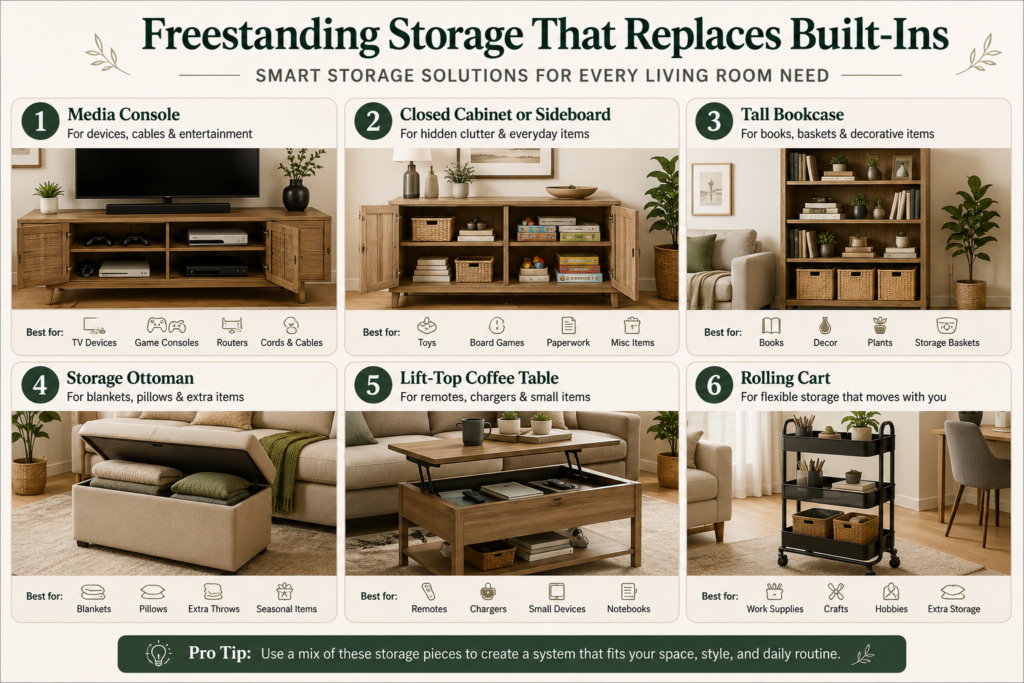
A good TV stand organization system does three jobs: it sorts what actually belongs near the screen, hides cords safely, and stores media, remotes, and devices without turning the stand into a clutter shelf.
This matters most in small living rooms because the TV area often becomes a mixed zone. It holds entertainment gear, game consoles, chargers, streaming devices, books, decor, mail, toys, and random items that have no home. The fix is not buying a bigger stand first. The fix is giving each item a clear role and a specific spot.
Before you organize the TV stand, look at the whole room. If your living room also handles seating, work, dining, or entry overflow, read our guide to small apartment living room organization so the TV zone fits the full layout. For the broader system behind small-space storage, use the home organization guide as your main starting point.
How Do You Sort What Belongs on a TV Stand?
Start by removing everything from the TV stand and grouping items by purpose. Do not organize around what happens to be there today. Organize around what the TV zone needs to function.
Use four groups:
- Daily controls: remotes, game controllers, headphones, and streaming controls.
- Connected devices: console, soundbar, router, streaming box, DVD player, or speaker hub.
- Media and accessories: games, discs, charging cables, batteries, microfiber cloth, or small manuals.
- Non-TV clutter: mail, cups, loose papers, toys, shopping bags, tools, and decor that blocks function.
Only the first three groups should stay in the TV zone. Everything in the non-TV group should move to its real home. If your living room has no cabinets or closets, our guide to no-storage living room ideas can help you create extra storage outside the TV stand.
After sorting, choose a limit. A small TV stand cannot hold every disc, game, cable, and spare remote you own. Keep the items you use weekly near the TV. Store rarely used items in a labeled bin, cabinet, closet, or under-bed storage.
How Do You Hide Cords Without Making a Mess?
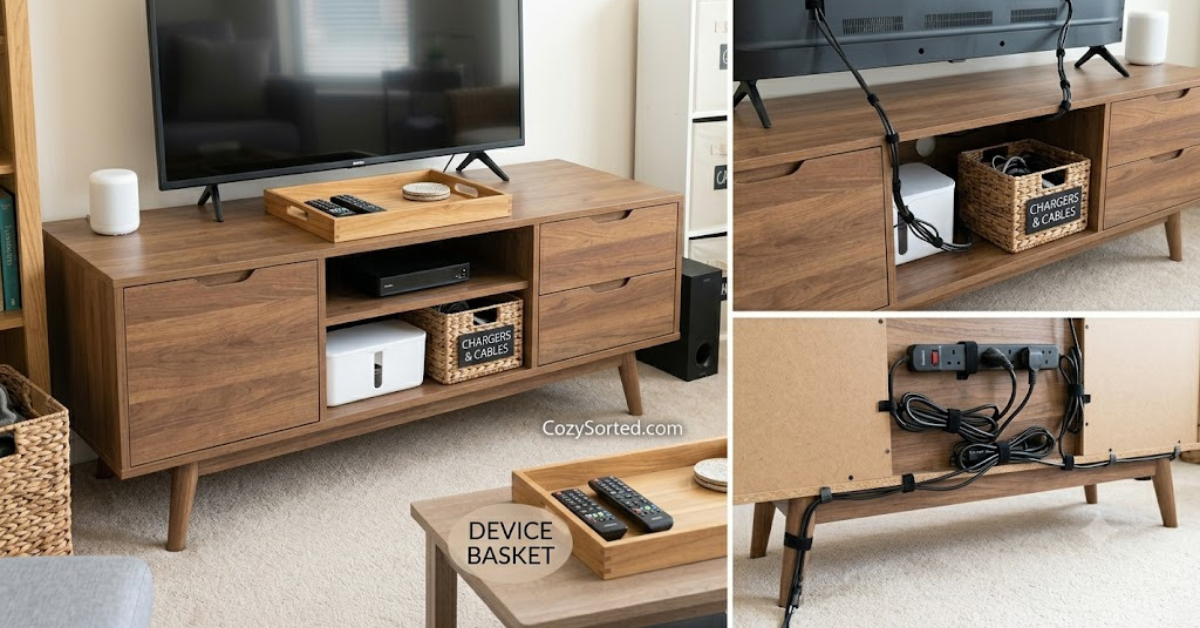
Cords look messy when they cross each other, hang loosely, or sit in a visible pile behind the TV stand. The goal is not to hide every inch. The goal is to route each cord clearly so it is safe, reachable, and visually quiet.
Start by unplugging only what you can identify. Label each cord before you disconnect it. A simple piece of masking tape with the device name is enough. Then remove unused chargers, old HDMI cables, and cords for devices that are no longer connected.
Use this cord cleanup sequence:
- Group cords by device.
- Shorten extra length with a soft cable tie.
- Run cords together down the back leg or back panel of the stand.
- Use adhesive clips only for light cord routing, not heavy power strips.
- Keep the power strip off the floor if possible, but make sure it can breathe.
A cable box or cord sleeve can help if the outlet is visible. For renters, choose removable clips and sleeves first. Avoid permanent wall channels unless your lease allows it.
Where Should Remotes and Controllers Go?
Remotes and controllers need one easy home. If they are hidden too deeply, they end up on the sofa. If they sit loose on the TV stand, the surface looks cluttered.
The easiest options are a shallow tray, a small basket, a drawer divider, or a side pocket attached to the stand. Pick one home and keep all daily controls there.
For a household with several people, separate controls by use:
- TV and streaming remotes in one tray
- game controllers in one basket or drawer
- headphones and chargers in a small bin
- batteries in a labeled pouch or box
Keep the control spot close to where people sit. If the sofa is far from the stand, a small remote tray on the coffee table may work better than storing remotes inside the TV stand. The right spot is the one people will actually use.
How Should Media, Games, and Devices Be Stored?
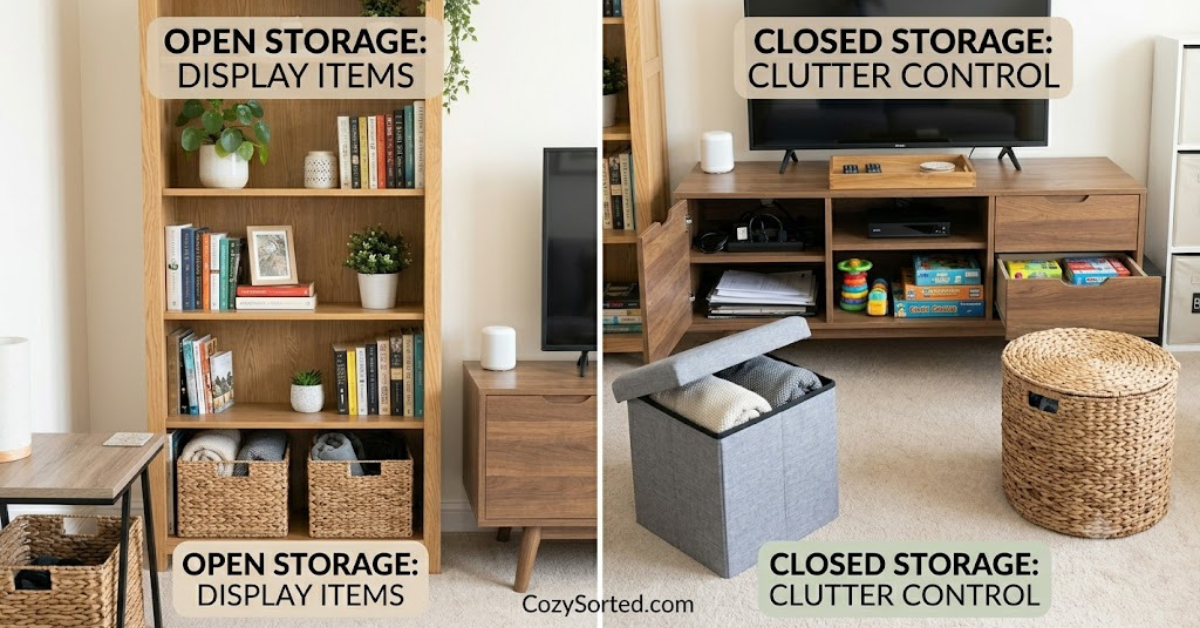
Media storage depends on how often you use each item. Daily devices should stay connected and easy to access. Occasional media should be grouped and stored behind a door, in a bin, or on one shelf.
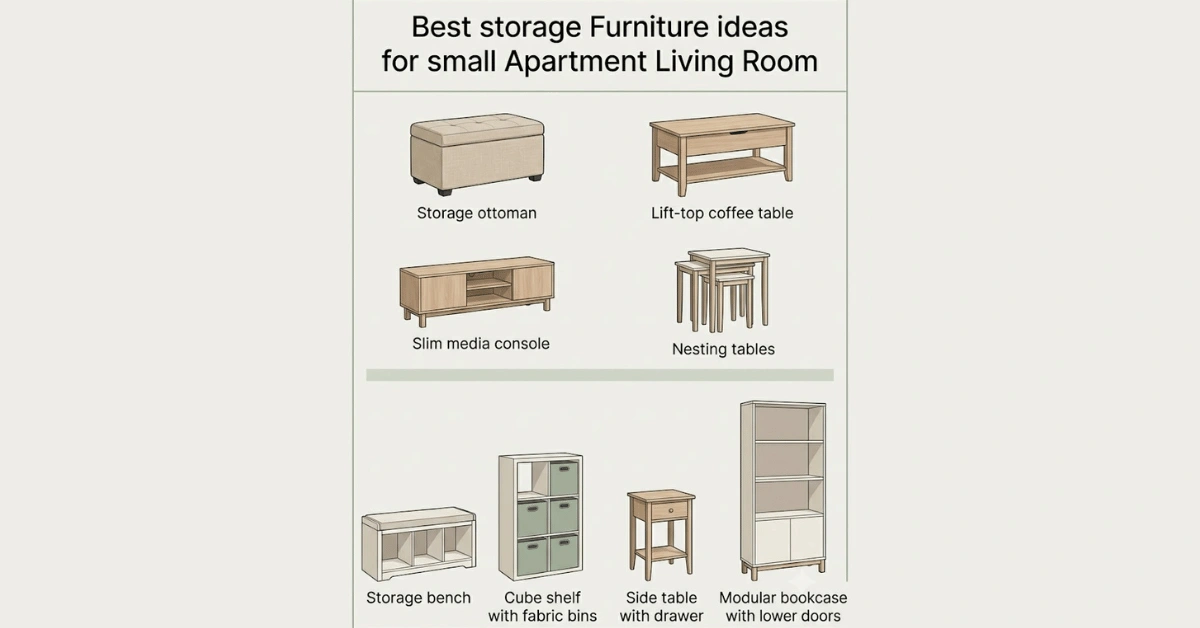
If your stand has open shelves, use matching bins or low baskets to reduce visual noise. One bin can hold games, one can hold accessories, and one can hold extra cables. If the stand has drawers, use small dividers so cords and controllers do not become one tangled pile.
For devices that need airflow, avoid stuffing them into closed bins. Consoles, routers, and some speakers need space around them. Keep vents uncovered and leave enough room behind the stand for heat to escape.
If you own many discs or games but use only a few often, keep favorites near the TV and move the rest to a separate storage area. A small apartment works better when high-use items stay close and low-use items move away. For off-season accessories or rarely used media, under-bed storage ideas can help keep the TV stand focused on daily use.
How Do You Style the TV Stand Without Adding Clutter?
Style should support the TV zone, not compete with it. Too much decor makes the stand harder to clean and harder to use.
Use a simple styling rule: leave the center clear, keep decor to the sides, and avoid blocking the screen. One small plant, a lamp, a tray, or a short stack of books is usually enough.
If the TV stand is also your only living room storage, prioritize function first. Store devices, cords, remotes, and daily media before adding decorative objects. For more small-space layout ideas, see tiny apartment entryway ideas, since the same zoning logic works for both entry and media overflow.
How Do You Reset the TV Stand Each Week?
The TV stand stays organized when the reset is short. Set a weekly five-minute routine so clutter does not rebuild.
Use this reset checklist:
- Return remotes and controllers to their tray or basket.
- Remove cups, papers, snacks, toys, and non-TV items.
- Check that cords are still routed behind the stand.
- Put games, discs, and accessories back in their assigned bin or drawer.
- Dust the surface and screen area.
- Remove anything that has not been used in weeks.
A TV stand should not become a catchall for the living room. When every control, cord, device, and media item has one clear place, the whole room feels calmer.
What Is the Best TV Stand Organization Setup?
The best setup is simple: keep only weekly-use media in the stand, give remotes and controllers a single home, route cords behind the stand, use bins or drawers for accessories, and leave the top surface mostly clear.
For most small living rooms, this is enough:
- one tray for remotes
- one bin or drawer for controllers
- one cable tie system behind the stand
- one shelf or bin for games and media
- one clear surface rule for decor
- one weekly reset
TV stand organization works best when it supports how you actually watch, stream, play, and relax. Sort first, hide cords second, store media third, then reset the zone before it turns back into a pile.

Mike Mann writes practical home organization and small-space living guides for CozySorted. His work focuses on apartment-friendly storage, clutter-free routines, bedroom organization, and simple systems that help renters, apartment dwellers, and small-space homeowners create calmer, easier-to-maintain homes.